How to Use AdCreative.ai and Pictory Together for High-Converting Campaigns
Meta Description: Learn how to combine AdCreative.ai and Pictory to create high-converting ad campaigns. This guide shows you the exact workflow to boost ROI.
Introduction: The AI-Powered Marketing Synergy You’ve Been Missing
You’re not alone if your desk is cluttered with browser tabs for a dozen different AI tools. One for graphics, another for video, a third for copy, each promising to revolutionise your work, yet together creating a fragmented, expensive, and time-consuming mess. The promise of AI to increase profits is real, but the reality for many business owners is tool fatigue, unclear ROI, and a steep learning curve that eats into your most valuable asset: time.
What if you could streamline this chaos into a single, devastatingly effective workflow? This isn’t about adding more tools to your stack; it’s about strategically combining two best-in-class platforms to create a content engine that drives sales. AdCreative.ai dominates the realm of data-driven ad creatives and social posts, while Pictory specialises in transforming that content into engaging, scalable video. Used separately, they’re powerful. Used together, they form a seamless pipeline from idea to high-converting ad campaign. This guide will show you the exact, step-by-step process to make that happen.
Understanding the Basics: What Each Tool Brings to the Table
Before we dive into integration, let’s clarify the core strengths of each platform. Understanding this “division of labour” is key to using them effectively.
AdCreative.ai: The Data-Driven Design Engine
Think of AdCreative.ai as your AI-powered art director and conversion scientist. It doesn’t just make pretty pictures; it analyses performance data (when connected to your ad accounts) to predict which visual concepts, colours, and formats will resonate with your audience and drive clicks. Its primary outputs are:
- Static Ad Creatives: High-performing banner ads for Facebook, Instagram, Google Display, and more.
- Social Post Creatives: Optimised images for organic social feeds.
- Text Generation: AI-powered ad copy and headlines that complement the visuals.
- Brand Kits: Ensures visual consistency across all assets.
Pictory: The Scalable Video Production Studio
Video is non-negotiable for engagement, but production is a bottleneck. Pictory solves this by making professional video creation fast and text-based. Its superpower is turning existing content into video. Key features include:
- Script-to-Video: Transform blog posts, scripts, or URLs into summarised video scripts with matching visuals and voiceover.
- Visuals-to-Video: Convert a collection of images (like those from AdCreative.ai) or short video clips into a polished video ad or social reel.
- Auto-Captioning: Adds captions to boost watch time and accessibility.
- Stock Library: Access to millions of video clips, images, and music tracks.
The Synergy: You use AdCreative.ai to generate the core visual concepts and messaging that you know have conversion potential. Then, you feed those winning visuals and copy into Pictory to rapidly build engaging video narratives around them. This closes the loop between static and dynamic content.
Key Considerations Before Starting the Workflow
Jumping in without preparation can lead to wasted effort. Consider these points to ensure your campaign is built on a solid foundation.
- Define Your Campaign Goal: Is this for brand awareness, lead generation, or direct sales? Your goal dictates the ad format (e.g. a brand awareness video vs. a direct-response static ad), the call-to-action, and how you’ll measure success.
- Know Your Audience & Platform: A TikTok video ad has a different feel than a Facebook Stories ad or a Google Display banner. Have a clear idea of who you’re targeting and where they spend time online. This informs the specs and creative direction in both tools.
- Prepare Your Brand Assets: Have your logos, brand colours, and fonts ready. Both platforms allow you to set up brand profiles (often called Brand Kits) to maintain consistency, which is crucial for trust and recognition.
- Start with a Strong Offer or Value Proposition: The most powerful AI tools can’t fix a weak offer. Before designing anything, be crystal clear on the unique value you’re presenting to the customer.
Step-by-Step Guide: The Integrated Workflow
Follow this phased approach to build a cohesive, multi-format campaign from a single core idea.
Phase 1: Foundation & Conceptualisation in AdCreative.ai

Step 1: Set Up Your Project. Log in to your AdCreative.ai account and create a new project. Input your campaign goal, target audience, and select the ad platforms (e.g., Facebook Feed, Instagram Stories).
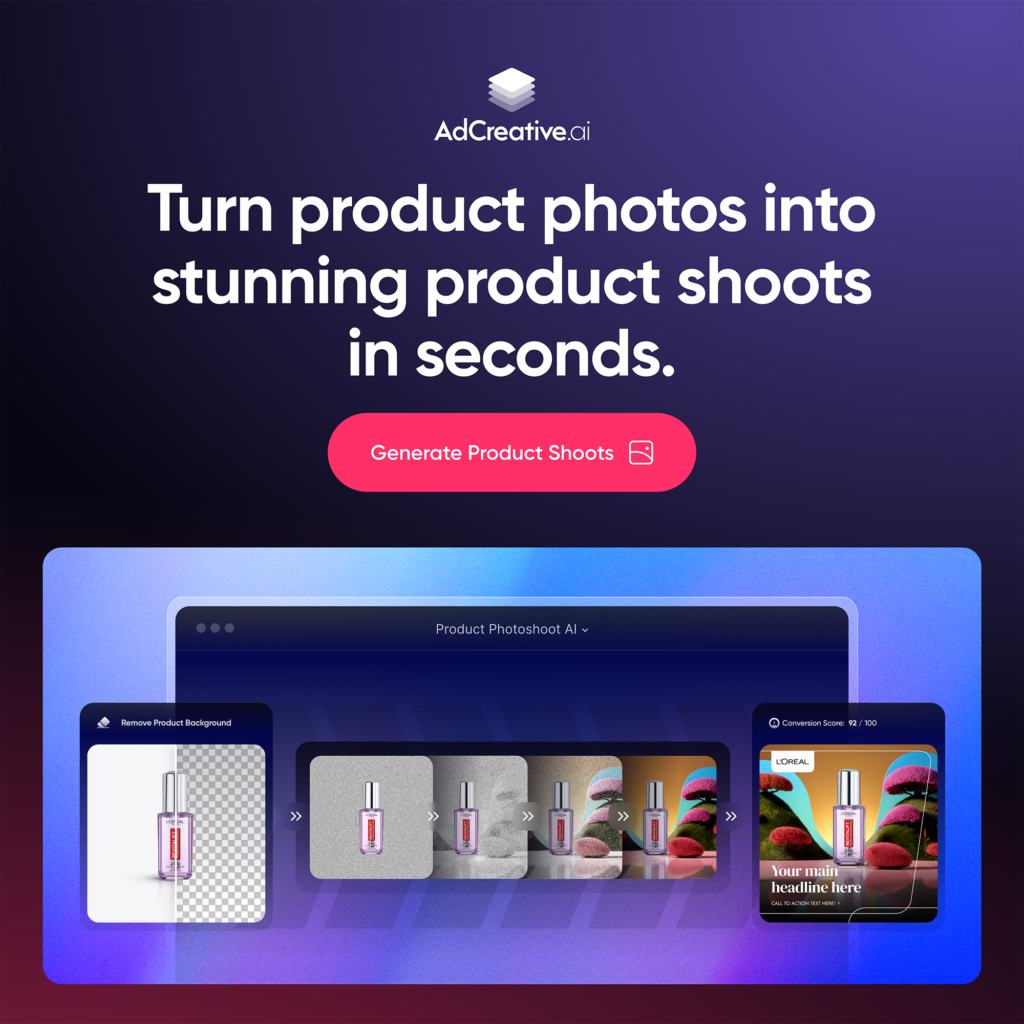
Step 2: Generate Your Core Creatives. Use the “Text Generator” to produce a pool of compelling headlines and ad copy variations based on your offer. Then, move to the “Creative Generation” section. Upload your product images or key visuals, apply your Brand Kit, and let the AI generate dozens of ad variations. It will use predictive scoring to suggest which are likely to perform best.
Step 3: Select & Refine. Don’t just pick the one you like. Use the AI’s predictive score as a guide and select 3-5 top-performing static ad concepts. Download these in high resolution. Also, export the winning ad copy and headlines. These are your campaign’s core visual and messaging assets.
Phase 2: Dynamic Expansion with Pictory
Step 4: From Static to Video Storyboard. Go to Pictory and choose the method that fits your assets:
- Option A (Script-based): Take the winning ad copy from AdCreative.ai and paste it into Pictory’s “Script to Video” tool. This becomes your video script’s foundation. Pictory will suggest visual scenes for each line.
- Option B (Visuals-based): Choose “Visuals to Video.” Upload the high-performing static images you downloaded from AdCreative.ai. Pictory will arrange them into a sequence, allowing you to add transitions, text overlays, and a soundtrack.
Step 5: Build Your Video Ad. This is where you bring the campaign to life.
- Use Pictory’s AI to suggest relevant B-roll footage from its stock library to complement your core AdCreative.ai images.
- Add a compelling AI voiceover (select a voice that matches your brand tone) or plan to record your own.
- Utilise the auto-captioning feature to generate on-screen text. Use your winning headlines from AdCreative.ai as key text overlays for emphasis.
- Adjust the pacing, music, and colours to align with the mood of your static ads for brand consistency.
Step 6: Export in Multiple Formats. Pictory allows you to create different aspect ratios from the same video. Export a 9:16 version for Stories/Reels/TikTok, a 1:1 for Facebook/Instagram feeds, and a 16:9 version for YouTube or website landing pages.
Phase 3: Campaign Launch & Optimisation
Step 7: Launch a Unified Campaign. In your ad platform (e.g. Facebook Ads Manager), set up an A/B test (or split test). Run your top-performing static ad from AdCreative.ai against your new video ad from Pictory that uses the same core messaging and visuals. This tells you which format resonates more with your audience.
Step 8: Feed Data Back into the Loop. Here’s the secret sauce. Once your ads have collected meaningful performance data (conversions, CTR, engagement), connect your ad account back to AdCreative.ai. The platform will analyse which elements (colours, layouts, messaging) are winning and use that data to inform the next batch of creative generation, making each campaign smarter than the last.
Expert Tips for Maximising Performance
- Repurpose Everything: The video script from Pictory can be turned into a blog post or email. The static ad from AdCreative.ai can be used as a thumbnail for your video. Squeeze maximum value from every asset.
- Leverage Pictory for Testimonials: Have a great text testimonial? Use Pictory’s “Script to Video” to create a stunning video testimonial with B-roll and music in minutes.
- Use AdCreative.ai for Organic Social: Don’t limit its use to paid ads. Generate a month’s worth of branded social media post images in one batch to maintain a consistent, professional feed.
- Sequential Retargeting: Use the high-engagement video ad from Pictory for top-of-funnel awareness. Then, retarget viewers with the direct-response, static ad from AdCreative.ai that features a strong offer. This leverages the strengths of each format in the customer journey.
Ready to build this workflow for yourself? You can start by exploring what each tool offers. Check out AdCreative.ai here to begin generating high-converting ad creatives. https://free-trial.adcreative.ai/lxi58p2q6rb3
Common Mistakes to Avoid
- Ignoring Brand Consistency: Using drastically different colours, fonts, or tones between your static ads and videos confuses audiences and dilutes brand recognition. Use the Brand Kit features in both tools.
- Creating in a Vacuum: Designing assets without a clear campaign goal or platform specification leads to poorly formatted creatives that don’t meet platform best practices.
- Skipping the A/B Test: Assuming video will always outperform static (or vice versa) is a costly assumption. Always test. The data is your most valuable asset.
- Overcomplicating the Video: Pictory makes it easy to add lots of effects, but sometimes simple is better. A clear message, strong visuals from AdCreative.ai, and a compelling offer often beat overly complex productions.
- Not Closing the Feedback Loop: Failing to connect your performance data back to AdCreative.ai means you’re not using its full machine-learning capability. You’re leaving predictive insights on the table.
Avoiding these pitfalls is easier with the right foundation. Consider starting with a tool like Pictory to tackle the video learning curve, which you can learn more about here. https://pictory.ai//
Conclusion: Building Your AI-Powered Profit Engine
The true power of artificial intelligence in marketing isn’t found in any single, magical tool. It’s found in the strategic combination of specialised platforms that talk to each other, creating a workflow greater than the sum of its parts. By pairing AdCreative.ai’s data-driven design intelligence with Pictory’s rapid video scalability, you build a continuous content engine.
This engine transforms a single winning value proposition into a multi-format, platform-optimised campaign that surrounds your potential customer with consistent, compelling messaging. It turns time-consuming production into a streamlined process, allowing you to focus on strategy, analysis, and growth. In a landscape where competitors are still wrestling with disjointed tools, this synergy can become a significant competitive advantage.
The journey to more efficient and profitable campaigns starts with a single step. You can explore the potential of this powerful combination by seeing how AdCreative.ai and Pictory fit into your own strategy. Begin your exploration of these ai tools to increase profits here and take control of your creative process. Try AdCreative.ai today at https://free-trial.adcreative.ai/lxi58p2q6rb3 and Pictory at https://bit.ly/4a3P3GT

This article contains affiliate links. We may receive a commission if you sign up for the mentioned services. The information presented is based on publicly available features and is intended for educational purposes. Individual results with any tool will vary based on your specific offer, market, and implementation.