Introduction
You’re pouring money into ad spend, but the return is a trickle, not a flood. Your creative assets, the images and text that stop the scroll, are underperforming, and you’re not sure why. For e-commerce owners, agency directors, and startup founders, this scenario is a daily frustration. Designing ads that consistently convert is an art, a science, and a massive time sink. Hiring designers is expensive, and DIY tools often lack the strategic insight needed for breakthrough performance.
Enter the new frontier: artificial intelligence. Specifically, platforms like AdCreative.ai are shifting the paradigm from guesswork to data-driven design. This guide will dissect exactly how AdCreative.ai positions itself as a solution, not by replacing human creativity, but by augmenting it with predictive intelligence. We’ll explore how it functions, the key benefits for profit-focused teams, and a practical guide to leveraging it. For anyone evaluating ai tools to increase profits, understanding this application is critical.
Understanding the Basics: What is AdCreative.ai?
At its core, AdCreative.ai is a cloud-based platform that uses generative AI and machine learning to produce advertising creatives (images, banners, text variations) optimized for conversion. Unlike standard design tools like Canva, which provide elements for you to assemble, AdCreative.ai starts with your goal: performance.
The system is trained on vast datasets of successful ad campaigns across platforms like Facebook, Instagram, Google, and LinkedIn. It analyzes which visual elements (colors, layouts, focal points), messaging styles, and value propositions have historically led to higher engagement and conversions for specific industries. When you provide your brand assets and campaign goals, the AI doesn’t just design; it predicts what is most likely to work based on this historical performance data.
Key Components of the Platform:
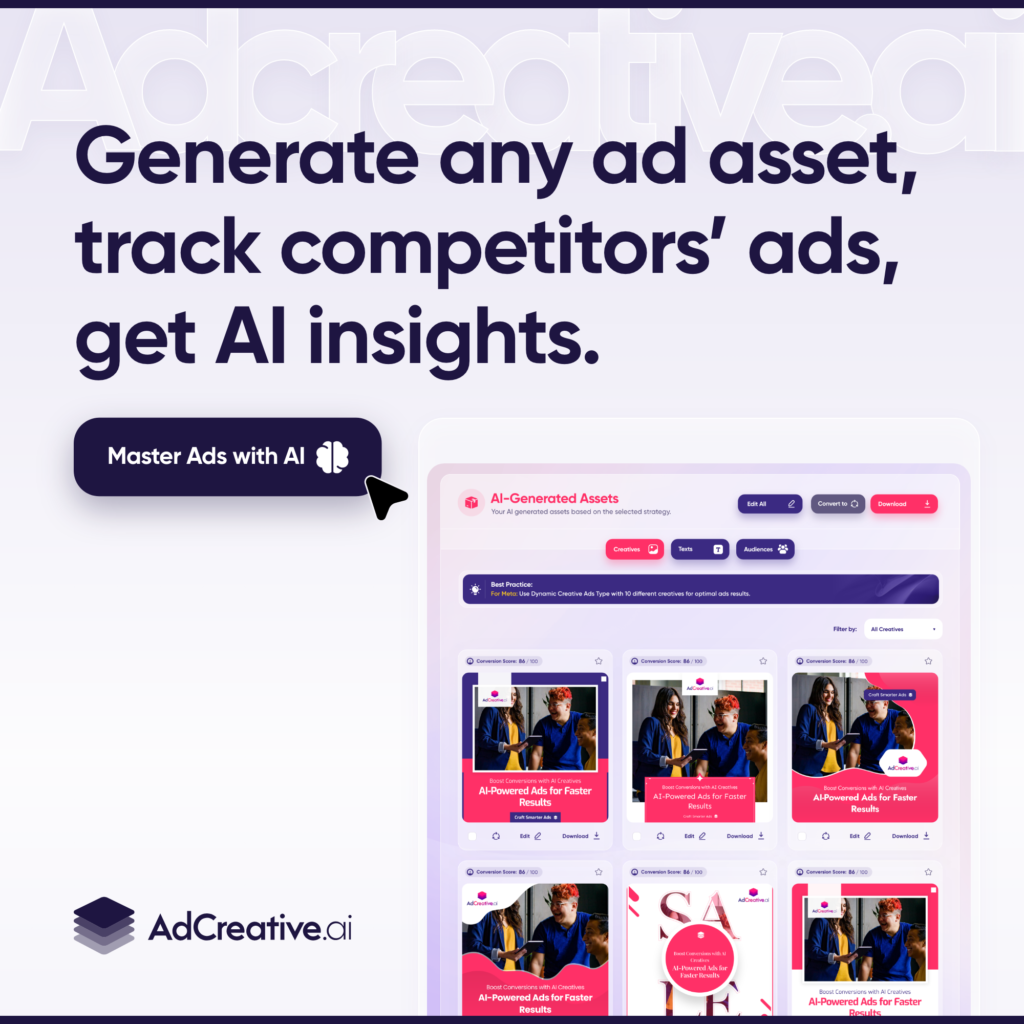
- AI Creative Generation: Input your URL, product images, and brand colors. The AI generates dozens of ad variations in multiple formats (story, square, banner).
- Predictive Performance Scoring: Each generated creative receives a “Creative Score” (and often a Conversion Score), predicting its potential success before you spend a dollar.
- Text & Headline Generation: AI generates ad copy, headlines, and call-to-actions tailored to your product and target audience.
- Brand Hub: Store logos, colors, and fonts to ensure all generated content stays on-brand.
- Creative Insights: Analytics that show which of your creatives are performing best across ad platforms, feeding data back into the AI’s learning loop.
Key Considerations Before Using AdCreative.ai
Before integrating any new tool, strategic alignment is key. AdCreative.ai isn’t a magic wand, but a powerful lever for specific scenarios.
Who is it For?
- E-commerce Brands: Needing hundreds of product-specific ads for dynamic catalog campaigns.
- Digital Marketing Agencies: Managing multiple client accounts, requiring scalable, consistent, and high-performing creative output.
- SaaS Companies: Looking to A/B test value propositions and feature highlights with professional creatives quickly.
- Solopreneurs & Consultants: Lacking design resources but needing to compete with the ad quality of larger players.
Potential Limitations to Acknowledge:
- Brand Nuance: While excellent for data-driven aesthetics, highly nuanced brand storytelling may require a human touch to finalize.
- Input Dependency: The quality of output depends on the quality of inputs (good product images, clear brand guidelines).
- Platform Focus: It is optimized for performance advertising platforms. It may not be the tool for entire brand identity design.
Integration & Learning Curve: One of its strongest selling points is a relatively shallow learning curve. The interface is built for marketers, not just designers. It integrates via data sync with your ad platforms (like Meta) to pull in performance data, creating a closed feedback loop for the AI.
Step-by-Step Guide to Generating High-Converting Ads
Here’s a practical workflow to use AdCreative.ai effectively within a profit-driven marketing strategy.
Step 1: Setting Up Your Brand Profile
Begin in the “Brand Hub.” Upload your high-resolution logo, define your primary and secondary brand colors, and select approved fonts. This ensures every generated ad maintains visual consistency, building brand recognition across all touchpoints.
Step 2: Defining Your Campaign Objective
Create a new project. Specify the platform (e.g., Facebook Feed, Google Display), the ad format (e.g. Instagram Story, LinkedIn Article Ad), and the core message. Input your target audience details or landing page URL. The AI uses this context to guide its design logic.
Step 3: Inputting Product/Service Data
Provide the key assets. This could be:
- A link to your product page (the AI will scrape images and text).
- Uploaded product photos.
- Key selling points and benefits in bullet form.
The richer the data you provide, the more targeted the output.
Step 4: Generating & Reviewing AI-Powered Creatives
Click “Generate Creatives.” Within minutes, you’ll have a grid of dozens of options. Here’s where the critical analysis begins. Review each creative alongside its Predictive Score. This score, based on the AI’s analysis of similar high-performing ads, is your first filter. Look for designs that are not only high-scoring but also authentically represent your product.
Step 5: Implementing the Top-Performing Designs
Export your selected creatives. The platform allows bulk download in the perfect sizes for your chosen platforms. Launch these ads in your campaigns. Crucially, use the platform’s Creative Insights feature to sync with your ad account. This allows the AI to learn from your real-world results, making its future predictions even more accurate for your specific business.
Ready to transform your ad creation process? Start your 7-day free trial of https://free-trial.adcreative.ai/lxi58p2q6rb3 and generate your first set of data-backed creatives. No credit card required.
Expert Tips for Maximizing ROI with AdCreative.ai
To move beyond basic use, implement these advanced strategies.
1. Use the AI as Your Creative Testing Lab:
Instead of spending budget to test ads live, use AdCreative.ai to generate 50+ variations for free. Use the predictive scores to shortlist the top 5-10, then fund those for live A/B testing. This reduces wasted ad spend on clearly underperforming concepts.
2. Leverage the Text Generation for Message-Market Fit:
Don’t just use the images. Input different value propositions (e.g. “save time,” “increase status,” “reduce cost”) and generate ad copy for each. This can help you discover which messaging resonates most deeply with your audience before a full campaign rollout.
3. Scale What Works, Rapidly:
Found a winning ad concept? Use the platform to generate multiple iterations of it—different backgrounds, slight copy tweaks, format adjustments for other platforms. This “winning template” approach can scale a successful campaign across your entire funnel.
Struggling with ad fatigue? Let AI refresh your winning campaigns. Explore AdCreative.ai’s scaling features to keep your performance high. https://free-trial.adcreative.ai/lxi58p2q6rb3
4. Integrate Insights into Your Creative Strategy:
Regularly check the “Creative Insights” dashboard. It identifies your top-performing creatives across all synced ad accounts. Analyze common traits among these winners (e.g. use of people, specific color contrasts, headline length) and feed these insights back into your briefs for future projects.
Common Mistakes to Avoid
Even with powerful technology, missteps can limit results.
Mistake 1: “Set and Forget” Mentality.
The AI provides a powerful starting point, but human oversight is essential. Always review creatives for brand appropriateness, clarity, and any odd AI-generated elements before publishing.
Mistake 2: Ignoring the Data Feedback Loop.
Failing to connect your ad accounts means the AI learns in a vacuum. The integration is what personalizes the engine to your business performance over time.
Mistake 3: Over-Reliance on Predictive Scores Alone.
A score of 95% doesn’t guarantee success. It means the ad shares traits with many winners. Use the score as a primary filter, but apply your own market knowledge and brand sense for the final selection.
Mistake 4: Not Providing Quality Inputs.
Garbage in, garbage out. Blurry product images or vague descriptions will result in generic, less effective creatives. Invest in good base assets.
Avoid these pitfalls and start smarter. Check out the https://free-trial.adcreative.ai/lxi58p2q6rb3 best practices guide available to all users after sign-up.
Conclusion
In the relentless pursuit of profitability, efficiency, and effectiveness are non-negotiable. AdCreative.ai addresses a critical bottleneck: the rapid, data-informed creation of high-converting ad creative. It shifts the role of the marketer from hands-on designer to strategic creative director, using AI to handle the execution of hundreds of data-backed concepts.
For the e-commerce store owner, it means faster creative cycles for new products. For the agency, it means delivering consistent, high-performing work for clients at scale. For the SaaS founder, it means efficiently testing and scaling the messages that drive user acquisition.
The promise of AI in this space is not about replacing human ingenuity but about eliminating guesswork and grunt work. By leveraging a tool that bases design decisions on aggregated performance data, businesses can make more informed bets with their advertising budgets. In the search for effective ai tools to increase profits, a platform that directly enhances the return on your largest digital expense, ad spend, warrants serious consideration. The next step is to see what it can predict for your brand.
Your competitors are likely already leveraging AI to optimize their ad spend. Don’t get left behind. Compare plans and see how AdCreative.ai can fit into your marketing stack today. https://free-trial.adcreative.ai/lxi58p2q6rb3

“I may earn a commission from qualifying purchases at no additional cost to you”.