
We may earn money or products from the companies mentioned in this post.
If you’ve been managing a team and watching everyone maintain separate ChatGPT Plus accounts each with their own history, no shared context, and no admin visibility you already understand the problem that ChatGPT for Teams (now officially called ChatGPT Business) was built to solve.
This review breaks down everything you need to know about ChatGPT’s team-focused plan: what it does, what it costs, where it falls short, and who should seriously consider subscribing.
Quick note on naming: OpenAI renamed “ChatGPT Team” to “ChatGPT Business” in August 2025. The product remains the same. This review uses both names interchangeably since most searches still use the original “Teams” terminology.
Features Overview
Shared Workspace
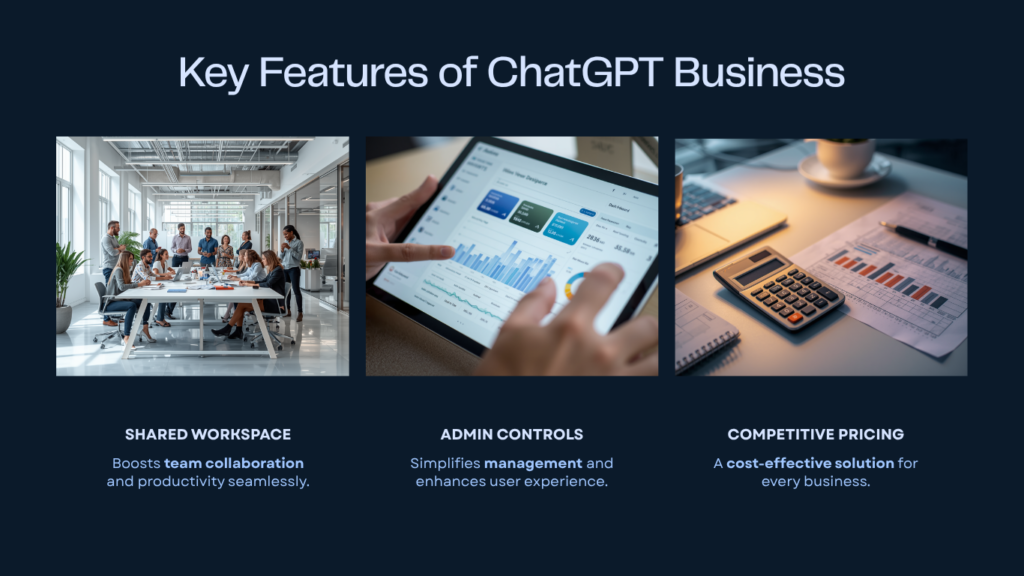
The centrepiece of the plan is a dedicated team workspace. Rather than everyone working in isolated accounts, your team shares a single environment with its own settings, resources, and context.
Within that workspace, the Projects feature allows teams to build a living knowledge base. Members can upload files, add content from connected apps, and pull from previous conversations all of which become shared context for ChatGPT’s responses. So when a marketing team uploads a brand guide, campaign brief, and competitor research into a shared project, every team member’s AI interactions in that project are informed by the same source material.
Model Access
Business plan seats include access to GPT-5 with generous usage limits across the full feature set. This includes GPT-5 Thinking for more complex reasoning tasks, Deep Research for synthesising information across sources, and the ChatGPT Agent for delegating multi-step work.
Also bundled: Codex, OpenAI’s agentic coding platform that runs tasks in a secure cloud sandbox with repository access. This is significant for teams with even light technical requirements it means engineers, data analysts, and technically capable non-developers can delegate parallel coding tasks without needing a separate tool.
App Integrations
The Business plan connects to over 60 external apps and services. The current integration list includes Slack, Google Drive, SharePoint, GitHub, Atlassian products, Microsoft Teams, Outlook, and more. These connections allow ChatGPT to surface contextually relevant information from your actual workflow systems not just from files you manually upload.
Admin controls let workspace owners enable or disable specific app integrations and manage which actions (including write actions like drafting emails or creating documents) are available to team members.
Admin Controls and Security
This is where ChatGPT Business separates itself most clearly from individual plans. The admin console includes:
- User management with three role tiers: Owners (full access, including billing), Admins (user and group management), and Members (full ChatGPT access, no admin privileges)
- SAML SSO and MFA enforcement for identity management
- Usage analytics dashboard showing how the team is using the product
- Role-based access controls for custom permissions
- Custom GPT governance – admins can restrict who can create Custom GPTs and ensure that any team-built GPTs remain internal to the workspace
Critically, the plan includes a contractual commitment under OpenAI’s Business Terms: your workspace data is not used to train OpenAI’s models by default. All data is encrypted in transit (TLS 1.2) and at rest (AES-256). The plan also supports compliance with GDPR and CCPA.
Performance Analysis
For knowledge-heavy teams, the combination of shared Projects and connected apps addresses one of the most persistent problems with AI in a team setting: context fragmentation. When every team member is working from the same uploaded documents and live tool integrations, the AI’s usefulness compounds across the team rather than staying siloed per user.
For research and analysis, Deep Research allows the AI to synthesise large volumes of information and produce detailed reports and structured outputs. This is particularly relevant for graduate students, consultants, and analysts who spend significant time consuming and distilling source material.
For technical teams, Codex access on the Business plan means developers can delegate multiple coding tasks in parallel. Each task runs in an isolated sandbox with the repository preloaded significantly reducing the time spent context-switching.
Limitations to Know
The Business plan has higher limits than Plus, but it is not unlimited. Heavy users who regularly hit caps may find the Pro tier ($200/month for individuals) technically more capable though that plan lacks all team collaboration features. OpenAI offers flexible pricing for usage beyond the included rate limits.
The plan also does not include the advanced enterprise features available at the Enterprise tier: no ISO/IEC 27001 certification, no SCIM directory sync, no audit logs, no data residency controls, and no dedicated support. For teams with strict compliance requirements in regulated industries, these gaps matter.
Pros and Cons
Pros:
- Dedicated, shared workspace with persistent team context via Projects
- Data not used for model training by default contractually guaranteed
- SAML SSO, MFA, RBAC, and usage analytics included
- 60+ app integrations including Google Drive, Slack, SharePoint, and GitHub
- Codex access for agentic coding tasks bundled in
- Self-serve setup – no sales call required to get started
- Available on iOS and Android
- Annual billing brings cost in line with individual Plus pricing
Cons:
- Minimum of 2 seats required
- Usage limits apply (not unlimited like the Pro tier)
- No audit logs, SCIM, or data residency (Enterprise only)
- Codex seats are usage-based and require separate workspace credits
- Personal workspace merges are irreversible once initiated
- No HIPAA BAA or industry-specific compliance certifications at this tier
User Experience
Setup is straightforward by enterprise software standards. Workspace creation flows from an existing ChatGPT account, and new members join via email invitation. Users who already have personal ChatGPT accounts can choose to keep their personal and Business workspaces separate or merge them (note: merges cannot be undone).
Workspace switching happens via the profile menu on web or the sidebar on mobile, which makes it reasonably easy for team members to move between personal and professional contexts without logging in and out.
The admin console is accessible and functional for small-to-medium teams without a dedicated IT department. Usage analytics provide visibility into adoption without exposing the content of individual conversations a reasonable balance between oversight and privacy.
The learning curve is low for anyone already familiar with ChatGPT’s individual plans. The collaborative features, Projects, shared Custom GPTs, and app integrations do require some deliberate onboarding to use well, but they’re not technically complex.
Value for Money
Pricing (as of April 2026)
- Monthly billing: $25/user/month
- Annual billing: $20/user/month
- Minimum seats: 2
Compared to individual plans, the Business plan at annual billing matches the price of ChatGPT Plus ($20/month) while adding shared workspace, admin controls, SSO, data privacy guarantees, and app integrations. For any team already paying for individual Plus accounts, the Business plan is the more rational choice on both cost and capability grounds.
For a team of five on monthly billing: $125/month. On annual billing: $100/month or $1,200/year. At that scale, the admin controls, shared context, and data privacy commitments represent meaningful value that individual plans cannot provide.
It’s also worth noting that OpenAI recently reduced the price of subscription-based ChatGPT seats by $5/month (as of April 2, 2026), and existing subscribers received a pro-rated credit on their next bill.
Who Gets the Most Value
- Small-to-medium professional teams (2–150 people) who need a shared AI workspace without the complexity and custom pricing of Enterprise
- Research teams and grad students who need to synthesise large volumes of source material collectively
- Consultancies and agencies building and reusing custom workflows across client work
- Technical teams who want Codex access bundled rather than managed separately
- Teams in privacy-sensitive industries where the default “no training on your data” commitment is non-negotiable
Who Should Look Elsewhere
- Individuals – ChatGPT Plus ($20/month) covers individual needs without the 2-seat minimum
- Power users needing unlimited access – the Pro plan ($200/month) offers more headroom but lacks team features
- Large enterprises with compliance requirements – ChatGPT Enterprise with custom pricing includes audit logs, SCIM, data residency, and dedicated support that the Business tier doesn’t offer
Final Verdict
This ChatGPT for teams review comes down to a straightforward conclusion: for professional teams already using AI tools or seriously considering it the Business plan makes a strong case on both cost and capability.
The combination of shared Projects, data privacy guarantees, SAML SSO, 60+ app integrations, and Codex access at $20/user/month (annual) is well-positioned for small-to-medium teams in knowledge work, consulting, research, and technical roles. The absence of advanced compliance features limits its suitability for heavily regulated industries, but for most SMBs and professional teams, those aren’t blockers.
The plan’s most underrated feature may be what it removes: the friction of AI context being scattered across individual accounts. When your team’s source material, project context, and workflows are in one shared workspace, AI becomes a team multiplier rather than a collection of individual tools.
Bottom line: If you have two or more people doing knowledge work who are currently on individual ChatGPT plans or no plan at all the Business tier at annual billing is worth a serious look.
Ready to Get Started? Explore ChatGPT Business plans at OpenAI →
Frequently Asked Questions
Is ChatGPT Teams the same as ChatGPT Business? Yes. OpenAI renamed ChatGPT Team to ChatGPT Business in August 2025. The product and features are the same; only the name changed.
What is the minimum number of seats for ChatGPT Business? The minimum is 2 standard ChatGPT seats.
Does OpenAI train on your data with the Business plan? No. Under OpenAI’s Business Terms, workspace data is excluded from model training by default.
Can I mix ChatGPT seats and Codex seats in the same workspace? Yes. As of April 2, 2026, workspaces can include standard ChatGPT seats (fixed monthly cost), Codex seats (usage-based), or a combination of both.
What’s the difference between ChatGPT Business and Enterprise? Business is a self-serve plan for teams of roughly 2-200 users. Enterprise adds unlimited access, audit logs, SCIM directory sync, data residency options, ISO/IEC 27001 certification, and dedicated support, with custom pricing negotiated through OpenAI’s sales team.
Pricing and features verified against official OpenAI sources as of April 2026. Always confirm current pricing at chatgpt.com/pricing before subscribing.