We may earn money or products from the companies mentioned in this post.
Video content dominates the digital landscape. Whether you’re scrolling through social media, browsing a company website, or checking your email inbox, video is everywhere. For businesses and content creators, this presents both an opportunity and a challenge: how do you produce high-quality video content consistently without draining your time, budget, or sanity?
The traditional approach to video creation involves expensive software subscriptions, steep learning curves, and hours spent on tasks that should take minutes. Small business owners find themselves choosing between hiring costly videographers or attempting to master professional-grade editing tools during evenings and weekends. Social media creators struggle to keep up with platform demands while maintaining quality. Marketing teams watch deadlines slip as they wrestle with complex software interfaces.
Enter the new generation of ai tools to improve productivity, specifically designed for video creation. These platforms are changing how professionals approach content production by removing technical barriers and dramatically reducing creation time. Among these solutions, FlexClip has emerged as a comprehensive platform that combines artificial intelligence with intuitive design, offering features that address the specific pain points faced by modern content creators and businesses.
This guide explores how AI-powered video tools are reshaping productivity workflows and provides practical insights into leveraging these technologies effectively, with a particular focus on FlexClip’s capabilities for different professional contexts.
Explore FlexClip’s features and templates at https://www.flexclip.com/tools/ai-video-script/
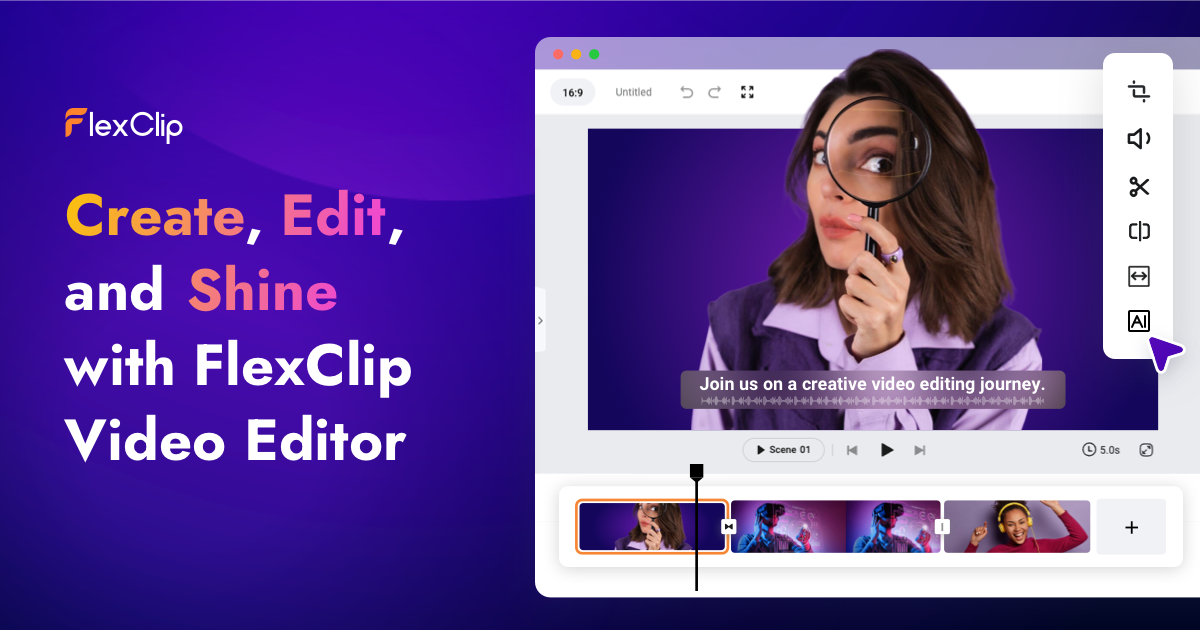
Understanding the Basics: What Makes AI Video Tools Different
Traditional video editing software operates on a simple premise: you provide the raw materials, and the software gives you tools to manipulate them. This approach works fine if you have video production experience, but it creates bottlenecks for everyone else. You need to understand timelines, transitions, color grading, audio mixing, and dozens of other technical concepts before you can produce anything presentable.
AI-powered video platforms fundamentally invert this model. Instead of requiring you to become a video editor, these tools use artificial intelligence to handle technical complexity while you focus on creative decisions and messaging. The difference manifests in several key ways.
Content Generation From Text
Perhaps the most transformative capability is AI-powered content generation. Modern platforms can convert written content directly into video format. This means you can take a blog post, script, or even rough notes and transform them into a polished video without filming anything or sourcing footage manually.
FlexClip implements this through multiple AI models including Kling 2.5 Turbo, Sora 2, Sora 2 Pro, Google Veo 3 Fast, and Google Veo 3.1. These models represent different approaches to video generation, each optimized for specific use cases. The text-to-video, blog-to-video, and script-to-video features allow you to input written content and receive video output that matches your specifications.
Intelligent Asset Management
Professional video requires various assets: footage, images, music, sound effects. Traditionally, this means maintaining subscriptions to multiple stock libraries, managing licenses, and spending time searching for the right elements. AI tools integrate these resources directly into the creation workflow.
With access to millions of royalty-free stock media items including photos, videos, and music tracks, platforms like FlexClip eliminate the need to juggle multiple services. The AI can also generate images on demand, filling gaps in your visual storytelling without requiring external resources.
Automated Technical Operations
Many tasks that consume hours in traditional editing become instantaneous with AI assistance. Subtitle generation, language translation, voice synthesis, and format optimization all happen automatically. Features like auto subtitles recognize speech in your video and create synchronized captions without manual timing. AI translators can convert your content into multiple languages, expanding your audience without hiring translation services.
Key Considerations Before Adopting AI Video Tools
While AI video platforms solve many problems, selecting and implementing the right solution requires careful consideration. Understanding what matters most for your specific situation prevents costly mistakes and ensures you choose a tool that actually improves your workflow.
Matching Features to Your Actual Needs
Not all features matter equally for different users. A real estate agent creating property tours needs different capabilities than a podcast producer making promotional clips or a marketing team producing ad campaigns. Before committing to any platform, inventory your specific requirements.
Consider the types of videos you produce most frequently. If you regularly create similar content, template-based workflows become invaluable. FlexClip offers over 6,000 professionally designed video templates across diverse categories, which can dramatically reduce production time for recurring content formats.
For teams producing technical or educational content, features like screen recording, freeze frames, and split-screen capabilities matter more than flashy transitions. E-commerce businesses might prioritize product showcase templates and quick editing tools over advanced effects.
Technical Requirements and Accessibility
Cloud-based platforms eliminate the hardware limitations that plague desktop software. Traditional editing tools demand powerful processors, substantial RAM, and dedicated graphics cards. This requirement often forces small businesses to invest in expensive equipment or restricts video creation to specific team members with capable machines.
Browser-based solutions democratize access. Team members can contribute from any device with internet connectivity, whether they’re using a high-end workstation or a basic laptop. This flexibility proves particularly valuable for distributed teams or businesses without dedicated creative departments.
Learning Curve and Team Adoption
Even the most feature-rich platform fails if your team won’t use it. Evaluate how quickly team members can become productive. The goal is creating videos, not mastering software.
Platforms designed with intuitive interfaces reduce onboarding time significantly. When features work predictably and workflows feel natural, adoption increases. This consideration becomes especially important for businesses where video creation isn’t the primary job function, such as real estate agents or educators who need to produce content alongside their main responsibilities.
Output Quality and Format Flexibility
Where and how you distribute videos affects your technical requirements. Social media platforms each have specific dimension requirements. YouTube prefers horizontal 16:9 format, Instagram Stories demand vertical 9:16, and TikTok operates in vertical format as well. Creating separate versions manually becomes tedious quickly.
Look for platforms offering flexible export options. The ability to download in 4K resolution matters for professional presentations and client deliverables. Format-specific presets save time when you’re producing content for multiple platforms simultaneously.
Step-by-Step Guide: Implementing AI Video Tools in Your Workflow
Successfully integrating AI video creation into your operations requires more than just signing up for a platform. This systematic approach helps businesses and content creators maximize the benefits while minimizing disruption to existing processes.
Step 1: Audit Your Current Video Needs and Pain Points
Begin by documenting your existing video creation process. Track how much time each video type currently requires from concept to final delivery. Note where bottlenecks occur. Are you spending hours searching for stock footage? Does editing take disproportionately long compared to filming? Do format conversions for different platforms consume valuable time?
Identify your highest-volume video categories. Marketing teams might produce social media content daily but only create product demos monthly. Educators might need weekly lesson videos but quarterly course promotions. Prioritizing solutions that address your most frequent needs delivers faster ROI.
Step 2: Start With Template-Based Production
Templates accelerate your learning curve while producing professional results immediately. Rather than starting with blank canvases, use pre-designed frameworks that match your content type.
When exploring FlexClip or similar platforms, browse template categories relevant to your industry. Real estate agents should examine property listing templates. E-commerce businesses benefit from product showcase designs. Educational content creators can leverage presentation and tutorial templates.
Customize these templates with your branding elements, content, and messaging. This approach teaches you the platform’s capabilities while producing usable content. As you become comfortable with modifications, you’ll naturally discover advanced features.
Step 3: Leverage AI-Powered Content Generation
Once comfortable with templates, experiment with AI content generation features. These capabilities represent the biggest productivity gains but require different thinking than traditional editing.
For text-to-video conversion, start with well-structured written content. The AI performs best when given clear input with logical organization. Blog posts, scripts, and outlines convert more effectively than stream-of-consciousness notes.
The AI image generator fills visual gaps without requiring stock photo searches. Instead of spending time browsing libraries, describe the image you need and let the AI create it. This proves particularly valuable for concepts that are difficult to find in stock libraries or when you need images matching specific brand aesthetics.
AI text-to-speech converts written scripts into narration without recording equipment or vocal talent. This feature serves multiple use cases: creating voiceovers for explainer videos, adding narration to tutorials, or producing audio versions of written content. Multiple voice options allow matching tone to content type.
Step 4: Automate Repetitive Technical Tasks
Identify tasks you perform on every video and automate them. Subtitles, for instance, improve accessibility and engagement across platforms. Auto subtitle generation handles this automatically, saving hours of manual transcription and timing work.
For businesses serving international audiences, AI translation expands reach without hiring translators. Convert your video content into multiple languages, creating localized versions that engage global markets.
Platform-specific formatting becomes automatic rather than manual. When you need the same content for YouTube, Instagram, and TikTok, create once and export in multiple formats rather than editing three separate versions.
Step 5: Establish Reusable Workflows
After producing several videos, patterns emerge. Document these workflows to create consistency and train team members.
Create custom templates from your successful videos. These become your brand standards, ensuring visual consistency while accelerating production. When every product demo follows the same structure or all social media posts use consistent branding, your content becomes more recognizable.
Build libraries of reusable elements: brand colors, logo files, frequently used footage, and approved music tracks. Organizing these resources within the platform eliminates searching and ensures brand compliance.
Explore FlexClip’s features and templates at https://www.flexclip.com/tools/ai-video-script/
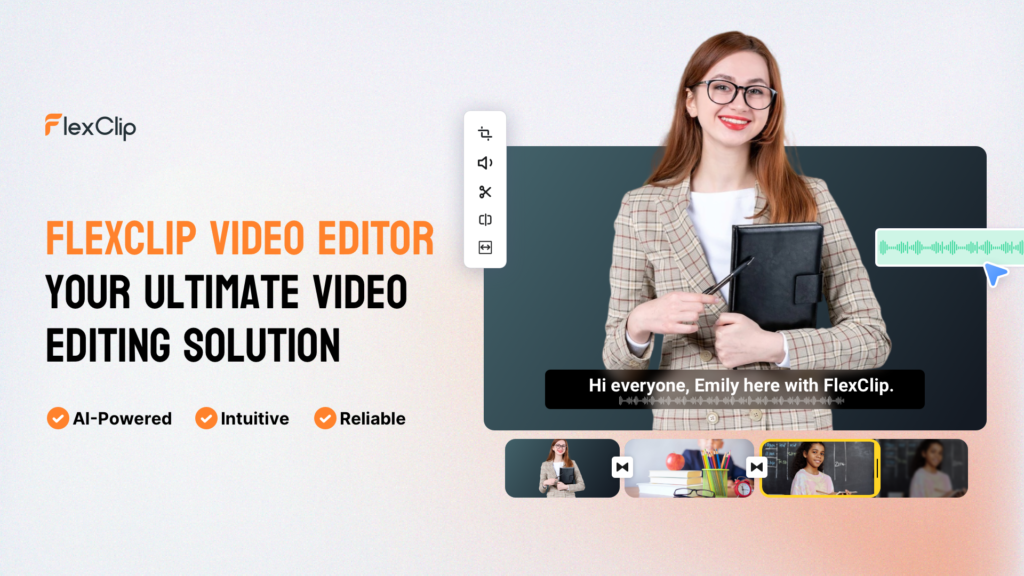
Expert Tips for Maximizing Productivity With AI Video Tools
Moving beyond basic usage unlocks significant productivity gains. These strategies help professionals extract maximum value from AI-powered video platforms.
Batch Similar Content for Efficiency Gains
Creating videos one at a time wastes the setup and context-switching overhead inherent in any creative task. Instead, batch production of similar content types yields dramatic time savings.
Social media managers should dedicate blocks of time to producing multiple posts at once. Select templates, gather assets, write scripts, and produce five or ten videos in a single session rather than creating one daily. This approach maintains creative momentum and reduces the mental overhead of repeatedly switching contexts.
The same principle applies to other content types. Real estate agents can batch property listing videos for all new properties in a week. Educators might script and produce an entire course module in concentrated work sessions.
Optimize for Your Primary Distribution Channel First
While multi-platform distribution offers obvious benefits, trying to optimize for every channel simultaneously dilutes focus. Identify your primary distribution channel and optimize for that platform first. Create the best possible content for where most of your audience exists, then adapt for secondary channels.
This approach improves both quality and efficiency. If YouTube represents your primary channel, create horizontal 16:9 videos optimized for that platform’s audience and algorithm. Then use format conversion features to create vertical versions for Instagram Stories or TikTok as secondary outputs.
Combine AI Features for Compound Productivity
Individual AI features provide value, but combining them creates multiplicative effects. A comprehensive workflow might start with script-to-video conversion, add AI-generated images for visual interest, incorporate AI text-to-speech for narration, automatically generate subtitles, and translate the final product into multiple languages.
This integrated approach transforms a single script into numerous localized video versions across multiple platforms, all without manual editing, filming, or recording. What traditionally required weeks of work and coordination among multiple specialists happens in hours with ai tools to improve productivity.
Maintain Brand Consistency Through Custom Templates
Generic templates provide starting points, but custom templates built from your brand guidelines ensure consistency while accelerating production. Invest time upfront creating templates that incorporate your brand colors, fonts, logo placement, and visual style. This initial investment pays ongoing dividends.
Teams benefit particularly from this approach. When multiple people create videos, custom templates maintain brand coherence automatically. New team members produce on-brand content immediately without extensive training.
Leverage Advanced Editing Features Selectively
Features like speed curves, freeze frames, split screens, reverse video, and chroma key effects serve specific purposes. Rather than applying them universally, use them strategically where they genuinely enhance the message.
Speed curves create emphasis by slowing dramatic moments or accelerating transitions. Freeze frames highlight important points in tutorials or presentations. Split screens compare before/after scenarios or show multiple perspectives simultaneously. Chroma key allows placing subjects against custom backgrounds, useful for consistent branding or creative effects.
Understanding when these techniques add value versus when they distract separates professional-looking content from amateur productions. The goal is always serving your message, not showcasing technical capabilities.
Common Mistakes to Avoid When Using AI Video Tools
Even with intuitive platforms, certain pitfalls reduce effectiveness and waste potential productivity gains. Recognizing these common mistakes helps you avoid them.
Over-Reliance on AI Without Human Oversight
AI tools excel at automating technical tasks and generating content, but they don’t replace human judgment and creativity. Videos generated entirely by AI without review often lack the nuance, emotional resonance, or strategic messaging that connects with audiences.
Use AI for efficiency, but apply human oversight for quality. Review AI-generated content, refine messaging, adjust pacing, and ensure alignment with your brand voice and strategic objectives. The most effective approach combines AI automation for mechanical tasks with human creativity for strategic decisions.
Ignoring Platform-Specific Best Practices
Converting formats doesn’t automatically make content suitable for different platforms. Each social media channel has distinct audience expectations, content consumption patterns, and algorithmic preferences.
YouTube audiences tolerate and even expect longer-form content with introductions and detailed explanations. TikTok viewers demand immediate engagement and rapid pacing. Instagram prioritizes visual aesthetics. Simply resizing the same video for each platform produces mediocre results across all of them.
Instead, adapt content strategy to each platform while using AI tools to accelerate the production process. Create platform-optimized versions rather than generic content stretched across multiple channels.
Neglecting Accessibility Features
Subtitles and captions serve two critical purposes: making content accessible to deaf and hard-of-hearing audiences, and engaging viewers who watch without sound. Many users scroll social media in sound-off environments like offices or public transportation. Videos without subtitles lose these viewers immediately.
AI-powered subtitle generation removes any excuse for omitting this feature. The accessibility benefits extend your reach while demonstrating social responsibility. The engagement benefits improve performance metrics across platforms.
Feature Overload and Visual Clutter
Access to thousands of templates, effects, and transitions tempts creators to use everything available. This approach produces cluttered, confusing videos that overwhelm rather than engage audiences.
Professional video content maintains visual simplicity and clarity. Each element should serve a specific purpose in communicating your message. Resist the urge to add effects simply because they exist. Evaluate every visual choice against the question: does this help my audience understand my message?
Failing to Establish Consistent Workflows
Approaching each video as a unique project from scratch wastes the efficiency gains AI tools provide. Without established workflows, you repeat the same decision-making processes, re-select the same assets, and recreate similar structures unnecessarily.
Document successful workflows, create templates from effective videos, and build reusable asset libraries. This systematization compounds productivity improvements over time. The tenth video in a series should require significantly less effort than the first, but only if you capture and reuse what works.
Conclusion: Transforming Video Production From Barrier to Advantage
Video content continues dominating digital communication across industries. Businesses and professionals who master efficient video production gain significant competitive advantages in marketing, education, sales, and customer engagement. The traditional barriers to entry expensive software, technical expertise requirements, and time-intensive production processes have historically limited video creation to organizations with dedicated resources.
AI-powered platforms fundamentally change this equation. By automating technical complexity, providing intelligent content generation, and streamlining workflows, these tools democratize professional video production. Small business owners, solo content creators, and lean marketing teams can now produce content that previously required specialists and significant budgets.
FlexClip represents this new generation of video tools, combining AI capabilities across the entire production pipeline. From text-to-video conversion and AI-generated imagery to automated subtitles and multi-language translation, the platform addresses the specific pain points that have made video creation challenging for non-specialists. The extensive template library, stock media integration, and intuitive interface further reduce friction in the creation process.
Success with these tools requires more than simply signing up and clicking buttons. The strategies outlined in this guide auditing your needs, establishing workflows, leveraging templates, combining AI features, and avoiding common pitfalls help businesses and creators maximize the productivity benefits these platforms offer.
The opportunity cost of not adapting to these new capabilities grows daily. While competitors struggle with traditional production methods or forgo video content entirely, early adopters establish content advantages that compound over time. Every week spent mastering efficient video workflows strengthens your market position.
For professionals serious about leveraging video content without dedicating their entire schedule to production, exploring modern AI video platforms makes strategic sense. FlexClip offers capabilities that address the core productivity challenges identified throughout this guide while maintaining the accessibility necessary for non-technical users.
The shift from video production as a specialized technical skill to video creation as an accessible business tool represents a fundamental change in how professionals communicate. Those who recognize and adapt to this transformation position themselves advantageously in increasingly video-centric markets.
Ready to experience how AI-powered video tools can transform your content production? Explore FlexClip’s features and templates to see how the platform addresses your specific video creation needs. The combination of AI capabilities, professional templates, and intuitive workflows could be exactly what your business requires to scale content production without scaling complexity.